

















Who are Trint's AI caption services for?
Trint's Caption Editor delivers a fast, cost-effective alternative to traditional closed captioning services. Built for corporate teams and broadcast networks, Trint’s AI captioning provides businesses with total control and full data sovereignty. Streamline your workflow with next-level captioning efficiency.
Trint for Newsrooms
In a fast-paced media landscape where every second counts, Trint's AI media captioning streamlines newsroom workflows, helping your team move from first word to broadcast faster. Quickly transcribe, verify and generate precise captions for video.

Trint for Sports Broadcasters
From the opening whistle to the final buzzer, Trint's broadcast captioning lets you capture every word. Localize and translate content for global fans, turn live interviews into searchable transcripts and isolate game highlights in moments.

Trint for Production
Quickly pull key moments into Trint's Story Builder to rearrange clips and accelerate your rough cut. Then, boost accessibility and reach all audiences by adding fast, accurate captions to your content.

Trint for Financial Services
Maximize accessibility, reach and engagement with Trint's AI captioning software for financial services. Add subtitles to internal resources, enhance your marketing and bring clarity and precision to meeting and call recordings.

Trint for Law Firms
Ensure ADA compliance and make your law firm’s content fully accessible with Trint. Boost social engagement, simplify legal jargon for clients and clarify video statements or court proceedings with precise captions.

We are different
Powered by our AI transcription, teams can generate an accurate timestamped transcript of audio or video files. Then add quick AI captions, edit and perfect before exporting as an SRT. Simple. And all within a single workflow.

Security
Why risk your data with external captioning services? Retain full data sovereignty with Trint. Our ISO 27001-certified auto caption software offers local data residency and granular access controls. Plus, we never access user data without written permission.

Enterprise integrations
Trint syncs with your current content management systems and runs in the apps you already use. Verify, edit and collaborate on your subtitles, all within the same workflow. Invite other users to leave feedback, even if they don’t have Trint.

70+ translation languages
Creating captions is just the start. With over 70 translation languages, Trint lets you localize video for global audiences at scale. Need live transcription? Our mobile app captures every word in the moment, for near real-time verification and reporting.
Our customer stories
Find out why organizations use Trint's AI caption generator to accelerate their transcription processes and content workflows.










A workflow to fit yours
Whatever your sector, wahatever your setup, Trint's AI subtitle software fits into your workflow. Once you've got the right subscription model for your organization, you're ready to accelerate your content pipeline.
1. Create captions
Simply log into the Trint dashboard, choose Transcribe and select your file. Our software will accurately transcribe audio or video in minutes. Then, click 'Create Captions' in the toolbar to generate a new caption file.

2. Edit and refine
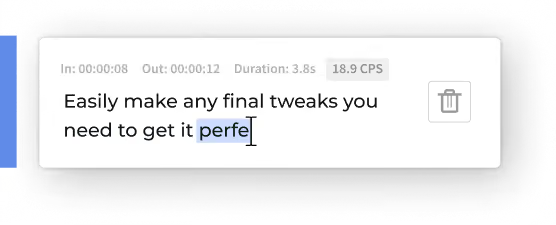
In the subtitle editor, captions are automatically split into readable sections. Edit just like a text document, using the timecoded transcript to quickly playback and verify. An automated characters-per-second counter ensures proper pacing and readability.
3. Collaborate and translate
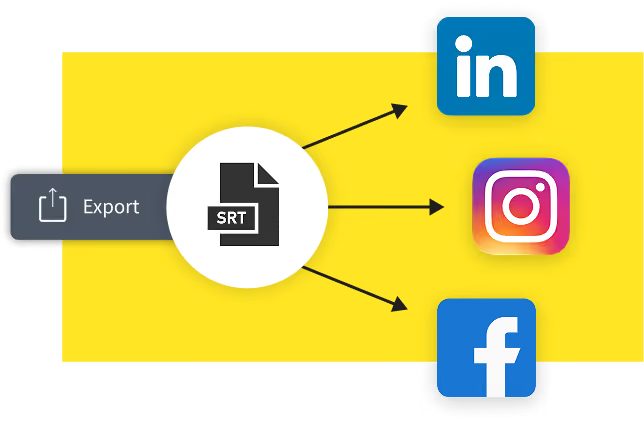
Hit 'Share' to invite collaborators to join you in the doc, choosing the best access permissions level for your needs. Once finalized, export captions as an SRT for easy syncing. Want to go global? Translate your captions into 70+ languages to scale your content internationally.

Learn more about trint for BUSINESS
Speak to a
Trint expert today
FAQS
FAQ Question
FAQ Answer
WHAT FILE FORMATS CAN TRINT ACCEPT?
Trint can convert AAC, WAV, MP4, M4A and MP3 files to text. Videos can be uploaded as MP4, WMA, MOV and AVI files. Trint can also convert voice memos and voice messages to text.
Audio files should be under three hours in duration and/or 3GB in size. If you need to transcribe a file that is larger than this, then you can break it up into smaller files before uploading.
Trint also offers nine export file types, so you can download and publish your finished content in your preferred file format. Read our guide on export formats to see the full list of file types.
Can Trint add captions to a YouTube video?
Unfortunately, Trint can’t accept links to video files, including YouTube videos. However, if you own the original video file, you can upload this as an MP4, WMA, MOV or AVI file.
How do I export and sync my video captions?
You can export finished subtitles as a SubRip (.srt) file. This will provide captions and timecodes that can be synced up with your video later on using editing software.
Which file types can I add captions to?
The Trint Caption Editor allows you to quickly and easily add accurate subtitles to any MP4, AVI, MOV or MWA file. Your captions can then be exported as an SRT file.
Please note that files should be under three hours in duration and/or smaller than 3GB in size. If you need to add captions to a video that is larger than this, you will need to break it into smaller files first.
How secure is Trint’s caption generator?
Trint’s software is ISO 27001 certified with servers in the US and EU, so you can rest assured your data is safe with us. HTTPS (TLS 1.2+) encryption ensures your data is secure between your browser and our servers. Once your data is stored in our servers, it’s encrypted with the industry standard AES-256 algorithm for additional peace of mind.
Our team will never access your files without your express permission and we don’t use your data to train our AI software. Trint also features granular access permissions, so you can control the flow of sensitive data within your organization. Read our data and security guide to learn more.
Can I edit my captions before exporting them?
Yes! Trint’s Caption Editor allows you to playback, verify and edit your captions. You can then share your file with team members and guests to collaborate on edits.
Which languages does Trint’s subtitle generator support?
Trint can generate subtitles in more than 50 languages. View the full list of supported languages to learn more.